
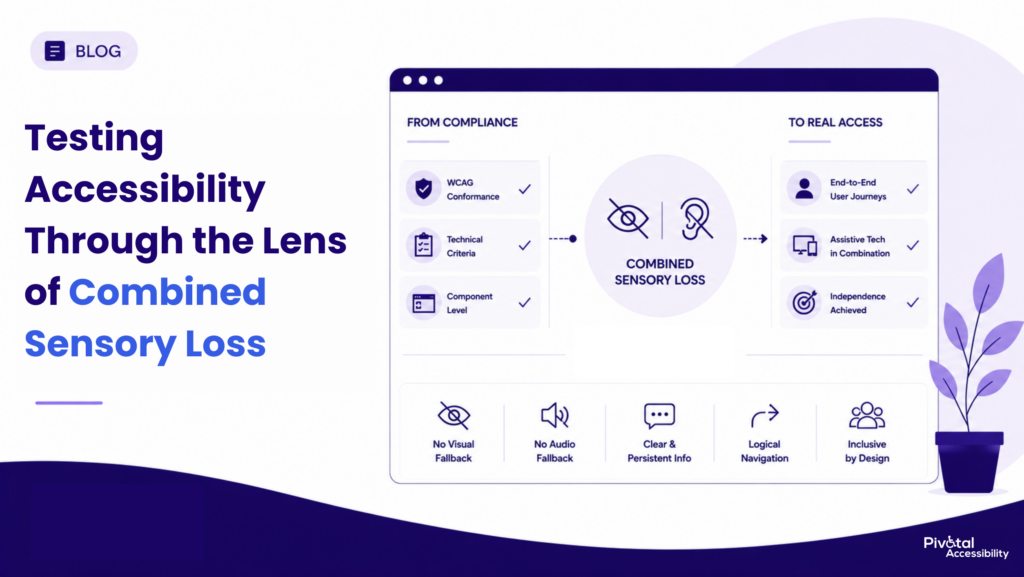
Accessibility testing typically answers one main question: Does a digital experience meet recognized accessibility standards like WCAG? If it does, the audit is often considered complete. But another equally important question remains: Can people still complete essential tasks under real-world conditions, including those with combined sensory loss?
People who are DeafBlind do not simply experience the combined effects of blindness and hearing loss. They interact with digital products in ways that challenge common assumptions about how information is communicated. Visual cues cannot always compensate for missing audio, and audio alerts cannot always replace visual feedback. Digital experiences must therefore communicate clearly without relying on either channel as a fallback.
This is what makes combined sensory loss such a valuable lens for accessibility testing. It doesn’t expose shortcomings in accessibility standards; it reveals where broader evaluation can complement technical conformance by examining how people complete real tasks with the assistive technologies they rely on.
As digital products become increasingly dynamic, accessibility testing must evolve alongside them. Beyond validating compliance, organizations should also evaluate whether users can independently understand, navigate, and complete meaningful interactions in real-world conditions.
What Is DeafBlindness?
DeafBlindness, also referred to as combined sensory loss, describes the combined impact of hearing and vision loss on a person’s ability to access information, communicate, and navigate their environment. It does not necessarily mean total deafness or total blindness. Many DeafBlind people have varying degrees of residual vision or hearing and use different combinations of assistive technologies, communication methods, and environmental adaptations based on their individual needs.
The World Federation of the Deafblind (WFDB) defines DeafBlindness as a distinct disability because the combination of vision and hearing loss creates unique accessibility challenges that cannot always be addressed by considering either disability in isolation. Understanding this distinction is important for digital accessibility, where many interfaces assume users can rely on one sensory channel to compensate for another. It is precisely these assumptions that make combined sensory loss such a valuable lens for evaluating accessibility testing.
Why Combined Sensory Loss Is a Valuable Testing Lens
Many digital experiences communicate information through multiple sensory channels. A visual notification may be reinforced by an audio alert, while spoken instructions may also appear as on-screen text. This layered approach improves accessibility for many users but can also create an implicit assumption that one channel will always compensate for another.
Combined sensory loss challenges that assumption.
It asks a simple question: if neither vision nor hearing can reliably serve as a fallback, does the experience still communicate clearly enough for someone to complete the task independently?
This is why combined sensory loss is such a valuable lens for accessibility evaluation. It doesn’t introduce a new set of requirements or replace standards like WCAG. Instead, it helps identify interaction patterns where technical conformance may not fully reflect real-world usability, ultimately leading to more resilient and inclusive digital experiences.
What Combined Sensory Loss Reveals About Accessibility Evaluation
Combined sensory loss highlights an important distinction in digital accessibility: validating technical conformance is not the same as evaluating the complete user experience.
People who are DeafBlind may use a combination of assistive technologies and communication methods, including refreshable braille displays, screen readers, screen magnifiers, tactile devices, or other accessibility supports, depending on their individual needs and preferences. These interaction patterns can differ significantly from those of users who rely on a single assistive technology or sensory modality.
Accessibility standards such as WCAG establish measurable technical requirements that improve access across a wide range of disabilities, including people with multiple disabilities. A standards-based accessibility audit evaluates whether those requirements have been implemented correctly. It is not intended to predict every possible user experience or account for every combination of assistive technologies and interaction preferences.
The same distinction applies to documents such as a Voluntary Product Accessibility Template (VPAT). A VPAT communicates how a product conforms to recognised accessibility standards. It provides valuable information for procurement and compliance, but it is not designed to evaluate task completion, usability, or the lived experiences of specific user groups.
This is where broader accessibility evaluation adds value.
In addition to validating technical conformance, organisations may choose to assess critical user journeys, test complex workflows with assistive technologies, and, where appropriate, include usability testing with people with disabilities. These activities help identify barriers that may not be apparent through standards conformance alone, particularly in dynamic interactions such as authentication, multi-step transactions, live status updates, and error recovery.
Combined sensory loss provides a valuable lens for this kind of evaluation because it challenges common assumptions about how users perceive information and receive feedback. Rather than asking only whether an interface meets technical requirements, it encourages teams to ask whether users can independently understand, navigate, and complete important tasks under real-world conditions.
“Accessibility standards provide an essential foundation for inclusive digital experiences. Comprehensive accessibility evaluation builds on that foundation by examining how people use digital products to accomplish real-world tasks with the assistive technologies they rely on.”
Six Areas That Benefit from Broader Accessibility Evaluation
The following scenarios do not represent shortcomings in WCAG or conventional accessibility audits. Rather, they illustrate situations where broader accessibility testing can provide additional insight into how people experience complex digital interactions. Together, they demonstrate why technical conformance and real-world usability should be viewed as complementary aspects of accessibility.
1. Dynamic Status Updates
ARIA live regions help communicate status changes to screen readers, making them an important accessibility mechanism. However, different assistive technologies may present these updates in different ways. Accessibility evaluations can therefore benefit from examining whether important status information remains discoverable, understandable, and available regardless of how users receive it.
2. Multiple Simultaneous Updates
Modern interfaces frequently update several parts of a page at once. While each update may be implemented correctly in isolation, evaluating how multiple dynamic events are presented together can help identify situations where users may lose context or overlook important information during complex interactions.
3. Transient Notifications
Toast messages and temporary confirmations are widely used to communicate successful actions. From a usability perspective, it is also worth considering whether important information remains available after the notification disappears. Providing a persistent location for significant status changes can improve confidence for many users, including those relying on assistive technologies.
4. Sequential Navigation
Digital content is often experienced differently depending on the interaction method. Users navigating sequentially through assistive technologies may encounter information in a different order from someone visually scanning the page. Reviewing reading order, heading structure, and information hierarchy as complete user journeys, not simply individual pages, can reveal opportunities to improve comprehension.
5. Multi-Modal Verification
Many authentication mechanisms provide both visual and audio alternatives. While these approaches address a wide range of accessibility needs, organisations should also consider whether users who cannot reliably depend on either channel have an independent path to complete identity verification. Alternative verification methods may provide a more inclusive experience in these scenarios.
6. Time-Limited Interactions
Session timeouts, temporary notifications, and timed workflows can affect users differently depending on how they access information. Beyond confirming that extension mechanisms exist, accessibility evaluations can also consider whether users have sufficient opportunity to discover, understand, and activate those controls while completing their tasks.
Taken together, these scenarios demonstrate an important principle. Accessibility standards define what should be implemented, while broader accessibility evaluation examines how those implementations perform during real-world interactions. Looking at both perspectives helps organisations build digital experiences that are not only conformant, but also more resilient and inclusive.
The Gap at a Glance
| Audit Check | What a Standard Pass Confirms | What It Misses for Combined Sensory Loss |
|---|---|---|
| Live region testing | The screen reader speaks the update aloud. | A braille display shows nothing unless the user is already reading that exact line. |
| Simultaneous event testing | Each update works correctly when triggered alone. | Two updates firing together queue cleanly in audio but shift braille content with no signal. |
| Notification testing | The message displays and clears on schedule. | A transient message can vanish before a braille reader reaches it. |
| Reading order testing | Tag order roughly matches the visual layout. | Sequential-only navigation has no skimming fallback when the order is imperfect. |
| CAPTCHA accessibility | An audio alternative exists alongside the visual one. | No verification path remains when both senses are unavailable at once. |
| Timeout extension testing | The extension mechanism exists and functions. | The mechanism may be unreachable in time at slower reading speeds. |
Why These Gaps Get Missed in Practice
None of this is a flaw in WCAG. It’s a depth gap in how most audits are actually run, the same kind of depth gap that lets false positives in accessibility testing slip through automated scans. Three practical causes show up again and again:
- Test environments are configured for single-sense isolation. Auditors test with a screen reader and sight intact, or with sight removed and hearing intact. Almost no standard setup removes both at once.
- Test scripts trigger one dynamic event at a time. Modality collision only appears when two updates fire close together, and most QA processes simply don’t simulate that.
- Pass or fail timeout checks measure whether a mechanism exists, not whether it’s usable within the time available to a slower-reading user. That’s a methodology choice, not a standards limitation.
Every one of these is fixable. None requires rewriting the standard. It requires testing more carefully than most audits currently do.
What Accessibility Testing Beyond Compliance Actually Requires
A genuinely rigorous audit treats combined sensory loss as its own test condition, not an extrapolation from two separate single-sense passes. In practice, that means:
- Persona-based testing across the spectrum. Residual vision, residual hearing, neither, and varying degrees of each, rather than one generic combined-loss pass.
- Sensory-isolated test environments. Braille display paired with screen reader output, monitor and speakers disabled, so testers experience exactly what a combined-loss user experiences and nothing more.
- Persistent versus transient state as its own audit line item. Every dynamic update on a page should be checked for whether it has a stable, locatable home, not just whether it fires correctly once.
- Testing with real DeafBlind users wherever possible. This is one of the few areas where simulated testing reliably diverges from lived assistive technology use, and heuristic review alone leaves real gaps that only direct user testing closes.
Helen Keller Services, the parent organization of the Helen Keller National Center for DeafBlind Youths and Adults, made the same point plainly when recognizing organizations advancing accessibility at its 2025 AccessAbility Awards:
“Accessibility is not just a compliance checkbox.” — Helen Keller Services, 2025 AccessAbility Awards announcement
This is also where protactile communication and haptic feedback are starting to matter. As tactile-first interaction methods mature, digital accessibility practice will need to catch up to them the way it already caught up to screen readers, and audits that build sensory-isolated testing into their methodology now will be the ones ready for that shift.
The Real Question to Ask When Evaluating an Accessibility Partner
Compliance confirms that a checklist was completed. It doesn’t confirm that a person with combined sensory loss can actually use what was built. Those are two different questions, and the gap between them is exactly what shows up when both senses are tested together instead of one at a time.
The right question to ask any accessibility vendor isn’t whether their audits are WCAG-conformant. Most are. The right question is whether their testing methodology accounts for what happens when a user has no fallback sense to rely on at all. Skipping that depth is its own quiet form of accessibility debt, one that surfaces the moment a real combined-loss user tries to use what was supposedly already tested. That answer is what separates an audit that confirms a checkbox from one that confirms a person can actually use the thing.
Need an Accessibility Audit That Goes Beyond Compliance?
Pivotal Accessibility is a DEPwD-empanelled accessibility auditing organization with a team of IAAP-certified accessibility professionals specializing in accessibility audits, assistive technology testing, and usability evaluations. We help organizations identify barriers that impact real users and build digital experiences that are accessible, compliant, and inclusive. Contact us for more information about creating robust accessibility programs.