
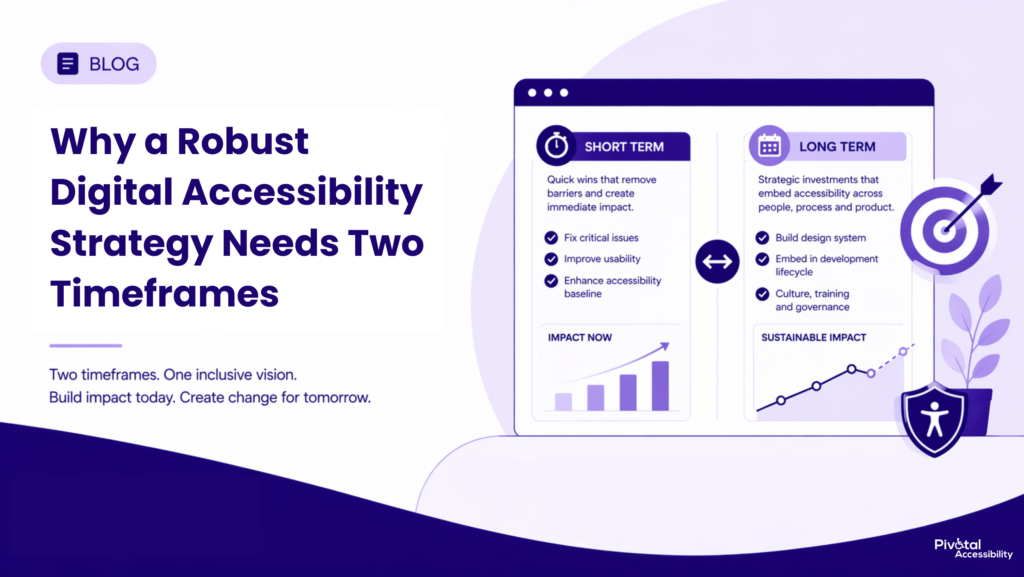
Most product teams approach digital accessibility the same way. Run an audit. Get a list. Fix the list. Repeat.
It does not work in the long run.
Not because the fixes are wrong, but because without structural change, the same issues resurface in every sprint. New features ship with colour contrast failures. Interactive components break keyboard navigation. Forms go live without labels. The backlog grows faster than it shrinks.
Digital accessibility requires two things at once: urgency and architecture. You need to remove barriers for users today and build systems that prevent those barriers from being recreated tomorrow.
That is the dual-track strategy this guide is built around.
What Digital Accessibility Actually Means in 2026
Digital accessibility is the practice of designing and building products, be they websites, apps, or software interfaces, so that people with disabilities can use them without barriers. This includes users who are blind or have low vision, deaf or hard of hearing, have motor impairments, cognitive differences, or other conditions that affect how they interact with technology.
The regulatory frameworks for digital accessibility have never been more active or more consequential.
In Europe, the European Accessibility Act came into full force on 28 June 2025, extending mandatory digital accessibility requirements to private sector businesses, e-commerce, banking, transport, and telecoms, with EN 301 549 (aligned to WCAG 2.1 AA) as the binding technical standard.
In the United States, the ADA Title II deadline for government websites and apps to meet WCAG 2.1 AA was extended just days before it was due. The DOJ acknowledged it had overestimated the capabilities of covered entities to comply in the time frames provided. Read this as a signal, not a reprieve. 8,667 ADA lawsuits were filed in 2025 alone before the original deadline had even come into effect.
In India, the shift has been the most sweeping. In April 2025, the Supreme Court ruled that digital access is an intrinsic component of the right to life under Article 21 of the Constitution. That judgment triggered a cascade. SEBI made digital accessibility mandatory for all regulated entities under the RPwD Act, and became the first financial regulator in India to define digital accessibility as a formal investor protection right.
The thread connecting all of it is the same: digital accessibility is now an enforceable legal obligation in most major markets, and in several, the courts have ruled it a fundamental right.
Why Most Accessibility Programmes Stall
Before looking at what a good strategy looks like, it is worth understanding why so many efforts underdeliver.
The most common failure is reactive, audit-driven work with no structural backing. Issues get fixed. New features ship with the same class of problems. Nothing in the design or development process has changed. The cycle repeats.
A second failure is the accessibility overlay. A script injected into a page that promises WCAG compliance without any underlying product changes. User research and assistive technology testing have shown repeatedly that overlays frequently make the experience worse for disabled users, not better. They treat digital accessibility as a cosmetic fix rather than a design discipline.
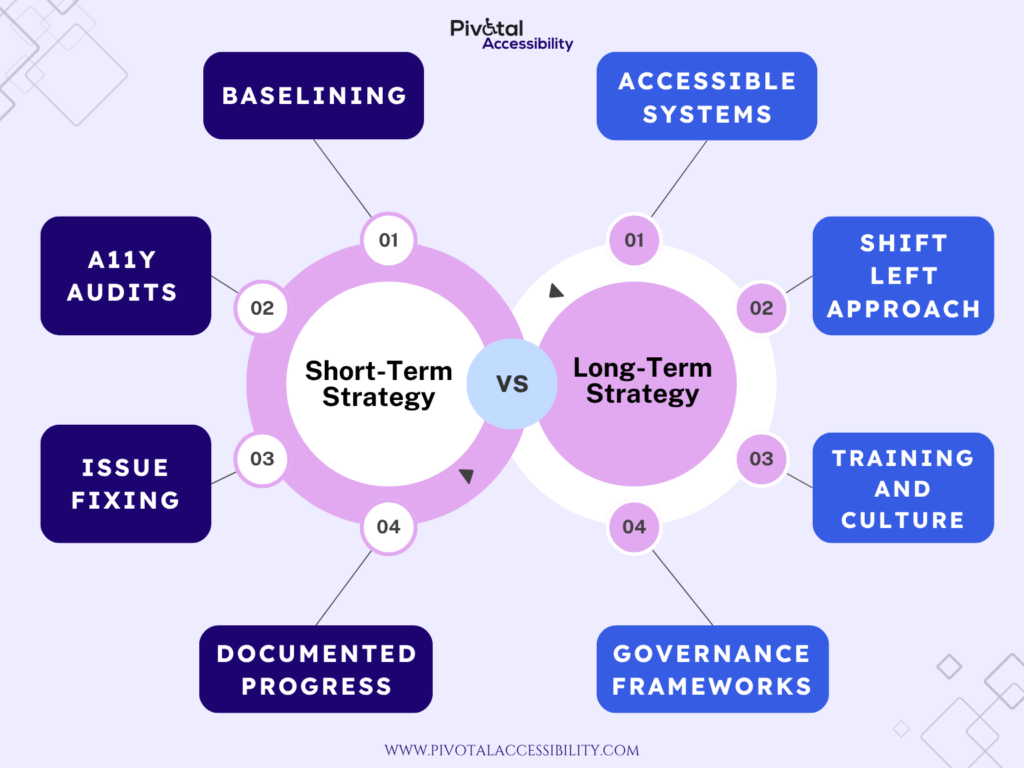
The solution to both is a strategy that operates at two speeds simultaneously.
Short-Term Digital Accessibility Strategies
Short-term work is about removing the most significant barriers your users face right now. It is targeted, sequenced, and measurable.
Start With a Prioritised Audit
An accessibility audit is the right starting point, but it needs to be built around impact, not volume. Not all WCAG failures carry the same weight. A missing skip link is categorically different from a modal that cannot be closed by keyboard.
Effective accessibility audits combine automated scanning with expert manual review. Automated tools like axe-core, WAVE, Lighthouse reliably surface around 30 to 40 percent of WCAG issues. The remainder requires trained human evaluation. Automation alone leaves significant gaps.
Prioritise by severity and user impact. Anything that prevents access entirely belongs at the front of the remediation queue, regardless of where it sits on the roadmap.
Fix the Barriers That Block Access
The short-term focus, once the audit is complete, is the highest-severity issues. For product and design teams, that typically means working closely with engineering on a tightly scoped remediation backlog.
The most critical areas to address first:
Keyboard accessibility: Every interactive element like buttons, links, modals, dropdowns, and form controls must be fully operable without a mouse. This is foundational for users who rely on keyboard navigation, switch devices, or voice control software.
Screen reader compatibility: Interactive components must communicate their role, name, and state to assistive technology through correct semantic HTML and ARIA.
Colour contrast: Text must meet a minimum contrast ratio of 4.5:1 against its background for normal-weight text, and 3:1 for large text. This is among the most common WCAG failures found in audits and among the most straightforward to fix at the design system level.
Form error handling: Error messages must be programmatically associated with their field, describe the problem clearly, and never rely on colour alone to signal an issue.
Page structure and heading hierarchy: A logical heading structure, meaningful page titles, and correct landmark regions allow screen reader users to navigate efficiently. Without them, users are forced to listen to an entire page linearly to find what they need.
Treat Accessibility Improvements as Usability Improvements
Short-term digital accessibility work tends to surface usability problems that affect all users. This is the curb cut effect in practice: solutions designed for people with disabilities consistently improve the experience for everyone.
Clearer error messages help distracted users. A better heading structure helps users scan on mobile. Sufficient text size and spacing help users in bright light or on small screens.
When product and design teams frame accessibility remediation through a usability lens, it builds broader internal support for the work and makes the value legible to stakeholders who might otherwise treat it as a niche concern.
Set a Baseline and Track Progress
Before remediation begins, document the current state of your product’s digital accessibility. The number and severity of issues identified, the user journeys affected, and the current level of WCAG conformance.
This baseline is the foundation for everything that follows. It creates accountability. It makes progress visible. And it provides the evidence needed to make the case for the longer-term investment that follows.
Long-Term Digital Accessibility Strategies
Short-term fixes address problems that already exist.
Long-term strategy addresses the conditions that create them, and that is a fundamentally different kind of work. It operates at the level of systems, processes, and culture. It takes longer to establish. But its effects compound in a way that reactive remediation cannot match.
Build an Accessible Design System
For product and design teams, the highest-leverage long-term investment in digital accessibility is almost always the design system.
A design system defines the components and patterns from which a product is assembled. When those components are accessible by default. When the button, the form field, the modal, and the data table all meet WCAG criteria out of the box, accessibility becomes the path of least resistance rather than an afterthought.
Building accessibility into a design system requires deliberate work at several levels.
Component accessibility: Every component in the library should meet WCAG 2.1 AA as a baseline. This means correct ARIA semantics, keyboard interaction patterns that follow established conventions, visible focus indicators, sufficient contrast across all states, and responsive behaviour that does not break assistive technology compatibility.
Design tokens: Colour tokens should be defined with contrast ratios built in. Typography tokens should establish minimum sizes and line heights that support readability for users with low vision.
Documentation: Accessible components without guidance on how to use them correctly are a half-measure. Documentation should cover correct usage patterns, common misuse cases, and the accessibility intent behind each component’s behaviour.
Governance: As the design system evolves, a process should exist to evaluate the accessibility impact of changes before release. A single regression in a widely used component can cascade into thousands of failures across a product.
Embed Digital Accessibility in the Development Lifecycle
The second pillar of long-term strategy is integrating accessibility into how your team builds, specifically, at the points where issues are cheapest to catch.
This is shift-left accessibility: moving accessibility consideration as early as possible in the product lifecycle, rather than treating it as a post-launch audit.
In practice, it looks like this.
At the Design Stage: Accessibility criteria are part of the critique and sign-off. Contrast ratios are checked before handoff. All interactive states like focus, hover, error, and disabled are specified. Component annotations include ARIA roles and expected keyboard behaviour.
At Engineering Stage: Accessibility criteria appear in the definition of done. A feature is not complete if interactive elements are keyboard-inaccessible or if the implementation diverges from the accessible design specification.
In the CI/CD Pipeline: Automated tools like axe-core run on every pull request, catching a meaningful proportion of WCAG violations before code reaches production.
In QA: In QA, a defined manual testing protocol covers screen reader testing on priority user journeys, keyboard-only navigation checks, and zoom testing for users with low vision. For teams without in-house expertise, this is where working with certified accessibility auditors pays off. Professionals who test with real assistive technology and produce findings that hold up under regulatory scrutiny.
Each of these touchpoints individually catches a subset of issues. Together, they create a system where fewer problems reach production, remediation costs fall, and the team builds genuine accessibility competence over time.
Make Digital Accessibility Part of Your Culture
The most sophisticated design system and the most rigorous process will underperform without the cultural conditions that make them effective.
Culture means every member of a product or design team understands why digital accessibility matters to real people, knows what their specific role in delivering it is, and feels genuinely accountable for the outcome. That does not come from a one-off presentation or an annual e-learning module.
Product managers need an understanding of how to prioritise accessibility in a roadmap and how to write accessibility acceptance criteria.
Designers need a working knowledge of the WCAG success criteria most relevant to visual design, like contrast, typography, focus states, motion, and how to use accessibility annotation kits effectively.
Engineers should know about semantic HTML, ARIA patterns, accessible interaction models, and knowing how to test their work with a screen reader and keyboard alone.
Governance formalises accountability. This means defining who is responsible for digital accessibility at the product, team, and organisational level; establishing processes for tracking conformance; and creating escalation paths when accessibility is deprioritised under roadmap pressure.
Running Both Tracks at Once
The tension between short-term and long-term digital accessibility work is real. Short term fixes are visible and politically easier to justify. Long-term investments are harder to quantify in the short run and require sustained commitment.
The answer is not to choose between them. It is to run both tracks in parallel from the start.
Begin short-term remediation immediately. It addresses real harm, demonstrates commitment, and builds stakeholder trust. Use the audit data and baseline metrics to make the case for long-term investment.
Frame the design system work, the lifecycle integration, and the training programme not as costs but as mechanisms that make the short-term work self-sustaining.
Measure and communicate progress in terms that resonate with product and business stakeholders: reduced post-launch remediation cost, improved task completion rates for disabled users, fewer accessibility-related support queries, and an expanded addressable market as previously excluded users can engage with the product.
What a Good Digital Accessibility Strategy Looks Like
Digital accessibility is not a project with a finish line. It is a practice. One that matures over time as knowledge deepens, processes sharpen, and culture evolves.
The teams that build inclusive products consistently are those that operate at both speeds: fixing barriers with urgency today, and building the systems that prevent them from returning tomorrow.
Short-term without long-term is a treadmill.
Long-term without short-term is a plan that never reaches the user.
Both together are a digital accessibility strategy that actually works.
Pivotal Accessibility partners with product and design teams to build effective, sustainable digital accessibility programmes. Two timeframes. One inclusive vision.